

Introduction
Honeywell is transitioning from their current intranet to the Digital Workplace (DWP), a
cloud-based corporate intranet platform, adopting standardized processes and procedures aimed at creating an enhanced, personalized and consistent digital experience for employees across Honeywell (Hon), globally.
UX Impact
The DWP improves the employee’s efficiency, productivity and creates a common look and feel across Honeywells businesses and functions, globally thereby improving Honeywell User Experience.
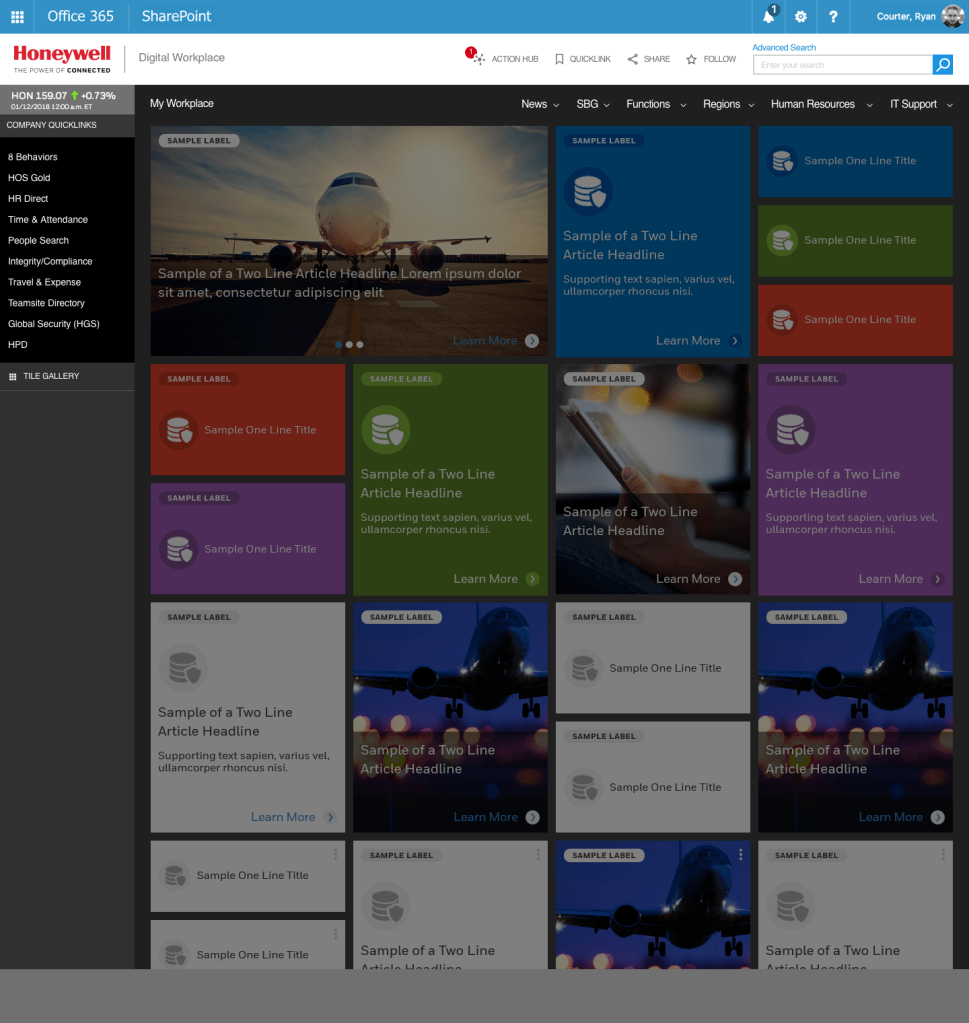
The DWP empowers the employees with opportunity to personalize their homepage and would enable them to gain the collaborative benefits of Office 365 integration at workplace. Some of the other benefits that DWP would bring to Workplace are digital alignment to industry standards and a transparent and formal governance of Honeywell’s intranet content.
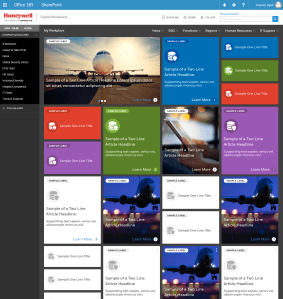
DWP Landing Page 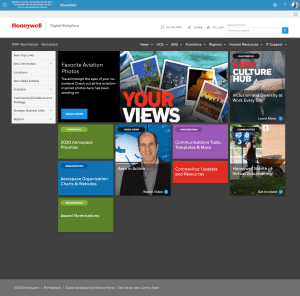
DWP Organization Landing 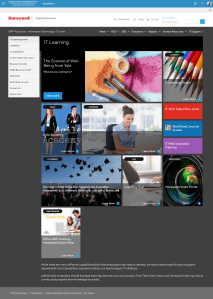
DWP Function Landing 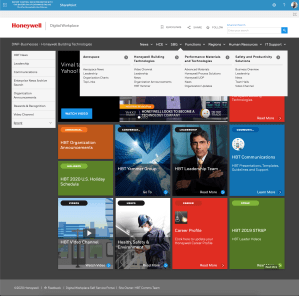
DWP Mega Menu 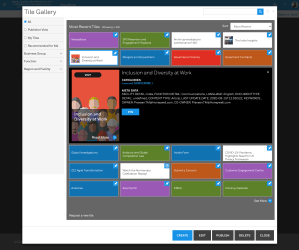
DWP Tile Gallery
Understand
The intranet is a tool that is used by all Honeywell employees to find helpful information about the company. I needed to determine what users would be impacted the most by the proposed Digital Workplace. Together with the project managers and SMEs, I conducted a Stakeholder Mapping exercise where we identified the users that would be the target of our initial voice of customer research.
Voice of Customer interviews provided the following insights:
- There are too many pages with duplicative and outdated information. This
causes users to waste time searching the current intranet. - Users want customization and personalization
- The information is not organized well
- Search results are terrible
- Employees waste time jumping between programs to complete a variety of actions. They would like a single source to complete their necessary actions
- Lack of development resources force site owners to create content that
isn’t user friendly
Design
The project team reviewed the current list of sites to determine which ones are still in use and will be moved to the new DWP. Card sorting exercises were done to help inform the information architecture. With requirements and IA determined, I was able to start creating wireframes and prototypes.
In order to increase customization, I created a gallery of tiles that users could pin/unpin to their landing page.
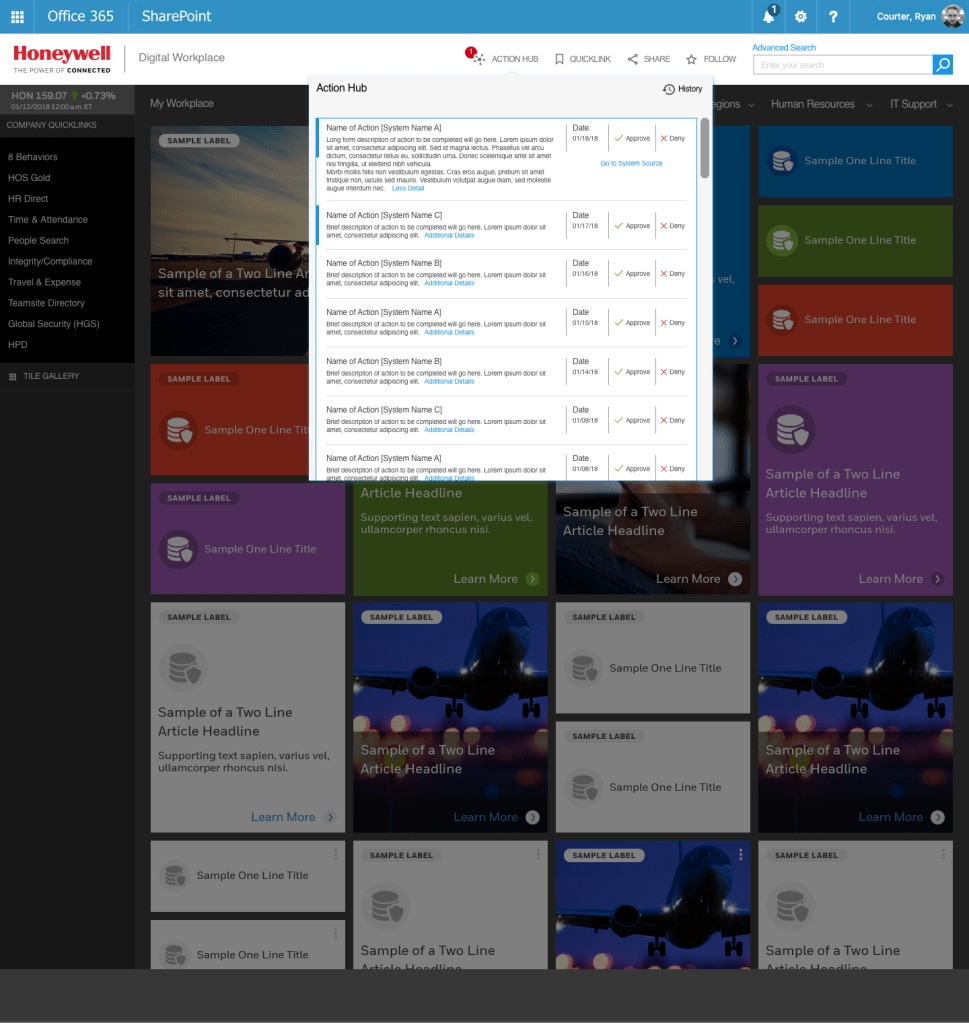
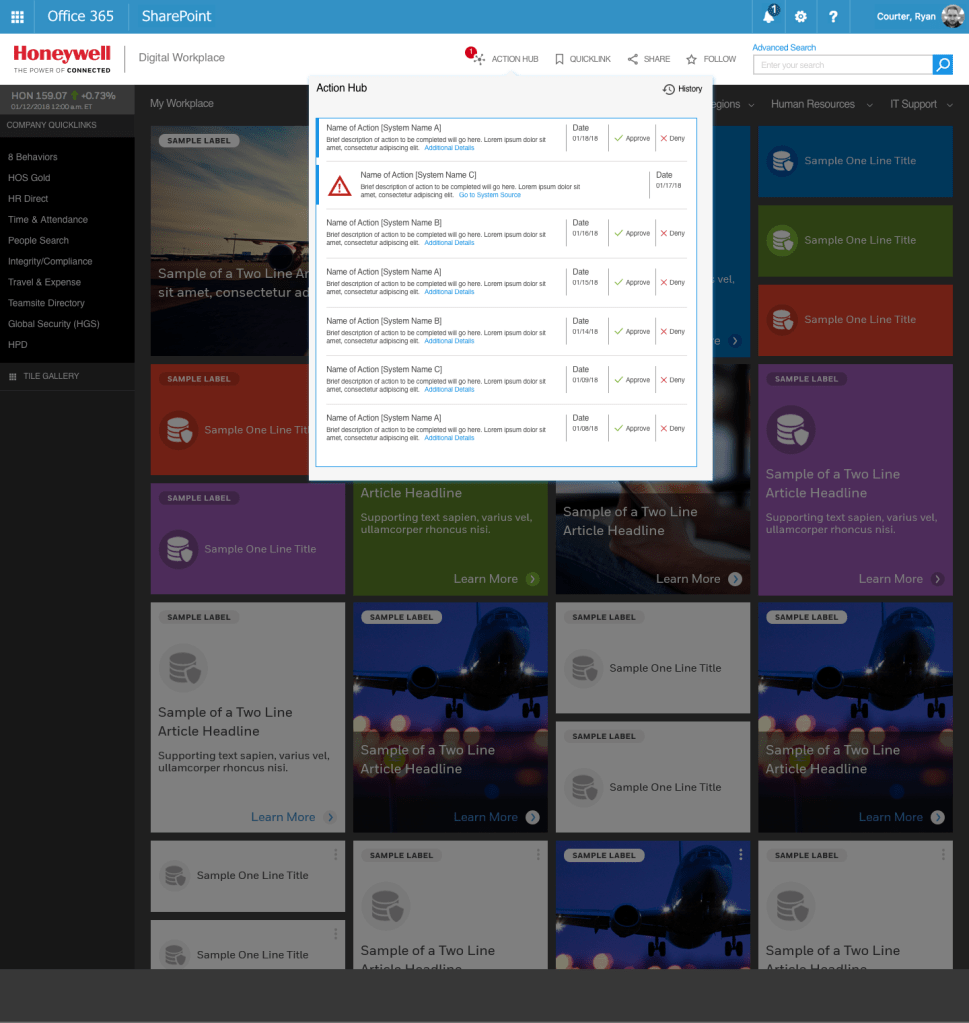
Key insights provided in voice of customer and usability sessions led to the creation of the “Action Hub”. The action hub would consolidate the list of actions that are sourced from different source systems such as Concur, ITIM, SAP and would present them to the user in a list form in chronological order. The Action Hub would be present in the form of a badge app icon on the DWP that would display the number of notifications for user actions. Users would have the ability to approve, decline or take other actions that they are accountable for from the Action Hub. The Action Hub would write user actions to the source systems.

Evaluate
Additional feedback from the users informed the final design decisions for the style guide, and provided a new requirement for a future release. Feedback was collected from over 200 users during the first 6 months of launching the DWP. I designed a revised version of the site to incorporate into MVP 2.
- Landing page has been simplified, removing the SharePoint and publishing banners
- Color palette was lightened and subdued because users thought it was too dark
- Navigation was designed to be accessible on every page
- Tile gallery allows for search and lets the user choose the tile size
- Action Hub is in the main navigation to allow more information to be displayed
- Social Media was integrated to foster collaboration
- Chatbot integration will save time for the users and reduce call center volume
- Enhanced personalization on the program tab allows users to access their programs from the DWP Menu
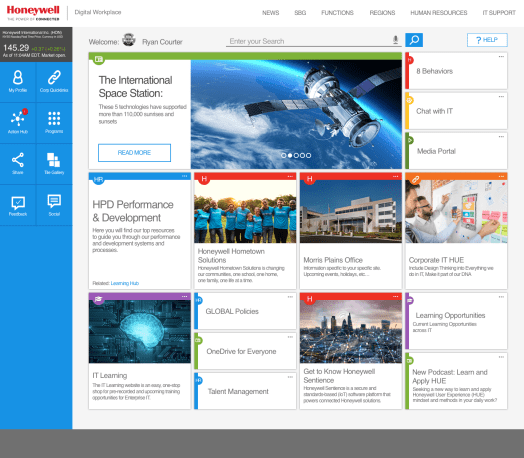
Vision Landing 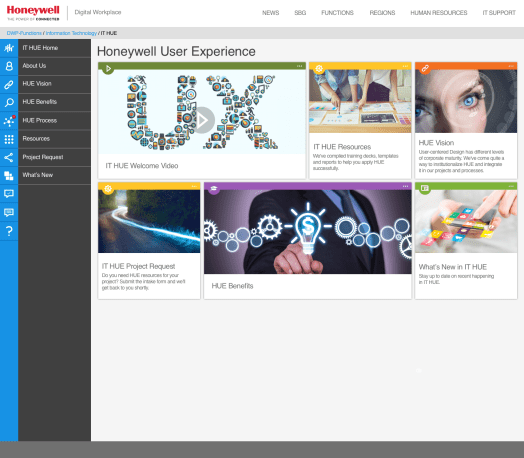
Vision Sub-Page 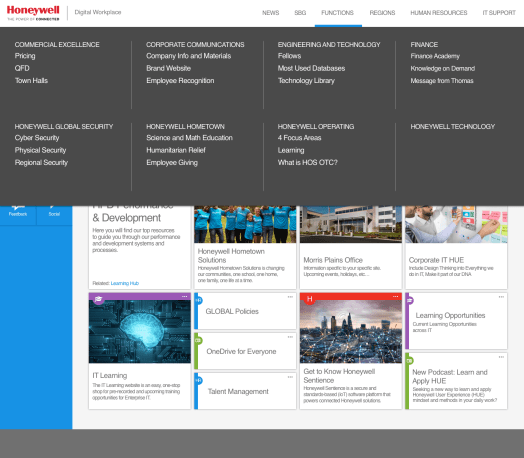
Vision Mega Menu 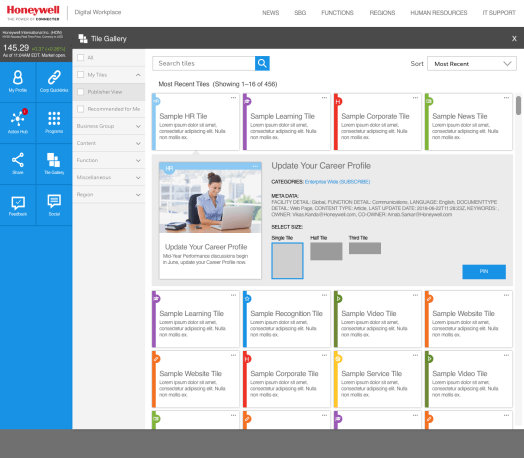
Vision Tile Gallery 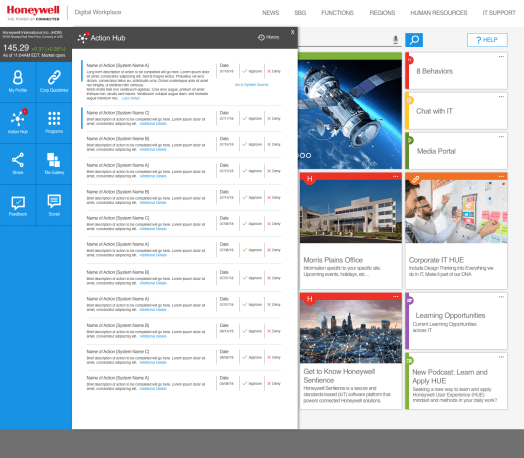
Vision Action Hub 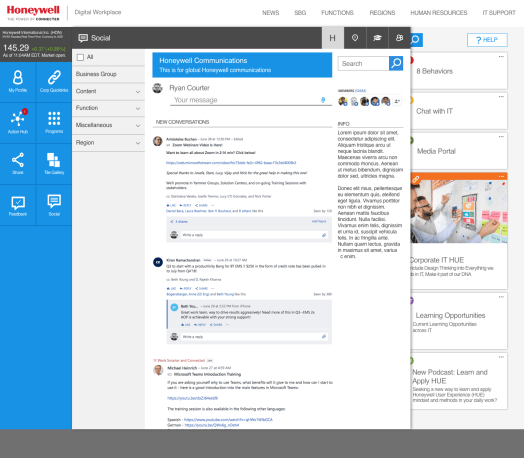
Vision Social 
Vision Chat 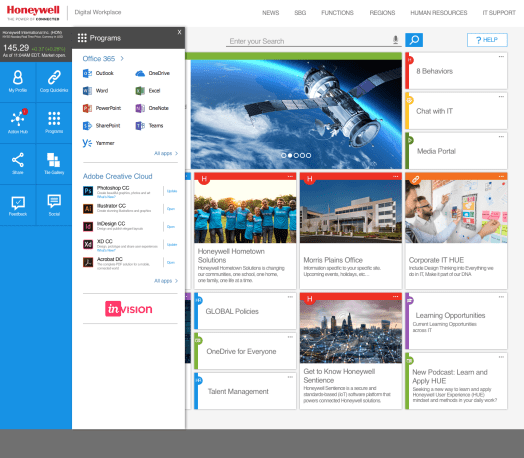
Vision Programs
 Ryan Courter